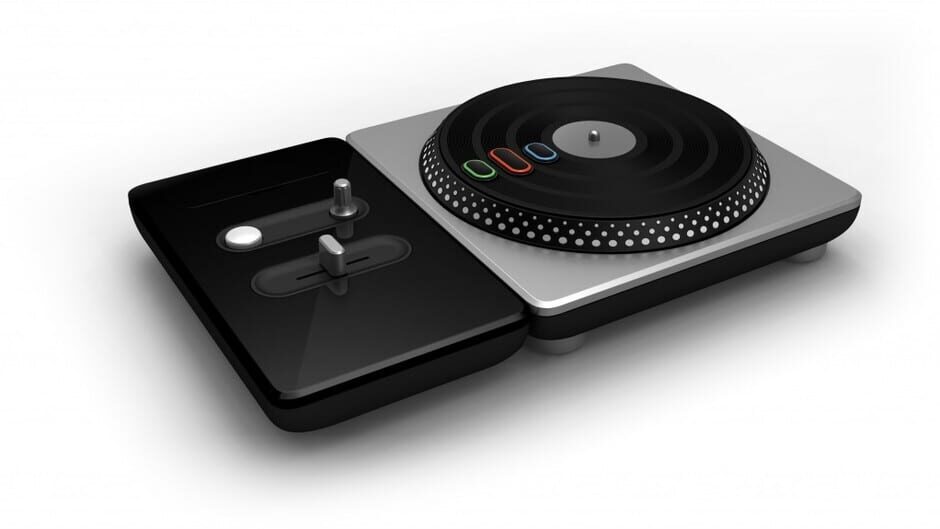
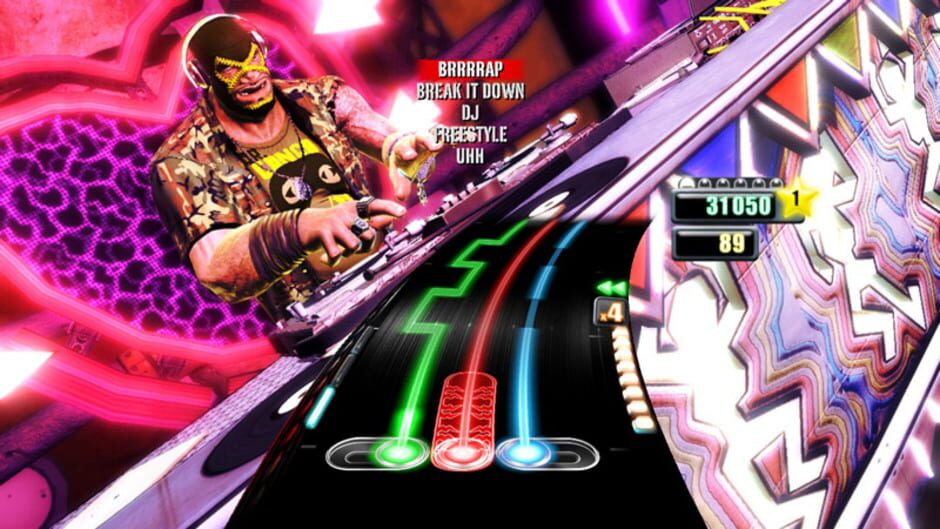
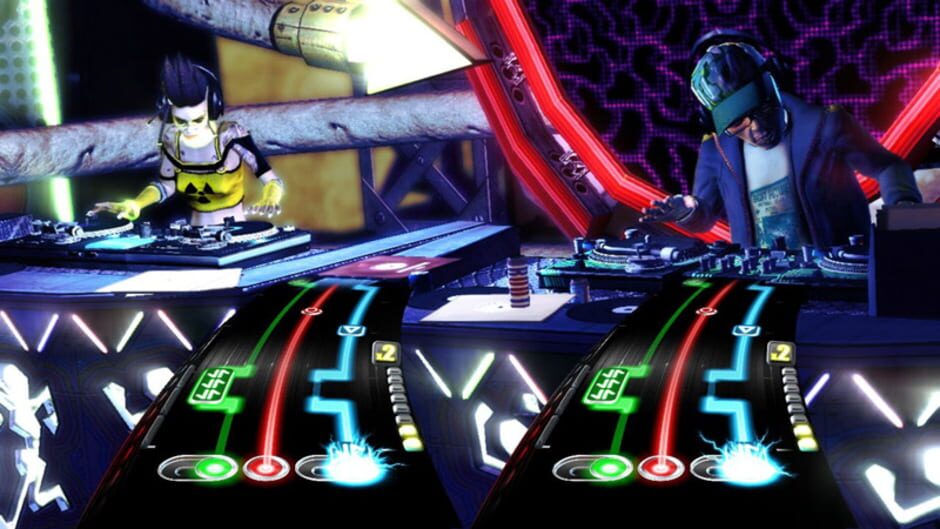
DJ Hero primarily simulates turntablism, a musical style used by disc jockeys to create a new mashup song by incorporating one or more previously recorded songs played on record players along with sound effect generators. The game features score attack gameplay similar to the Guitar Hero games. The controller consists of a wireless deck consisting of a movable turntable that supports 3 “stream” buttons, an effects dial, a crossfader, and a “Euphoria” button; a hidden panel contains additional controller buttons to interact with the gaming console outside of the game. A portion of the controller can be detached and reattached to adapt the unit for left-handed players. Notes travel in an arc across a spinning record on screen, and the player holds down one of the 3 stream buttons to play notes; two buttons reflect the two songs used in that particular mix, and the third represents samples to add to the mix which can be adjusted with the effects dial. The player must also constantly adjust the crossfader to match onscreen symbols, which alters the relative volume of the songs as to bring one song to the forefront of the mix for a short time. Certain tracks are shown on screen as a series of up or down arrow, representing scratching sections, requiring the player to turn the turntable in the direction of the arrows while holding down the button to score points, mimicking the scratching of the record needle on vinyl albums. “Euphoria” is equivalent to Guitar Hero’s Star Power, collected by successfully completing specific phrases in the song mix, called Perfect Regions, and can be released by pressing the Euphoria button, doubling the player’s current multiplier as well as automatic crossfading when active. There is also a “Rewind” meter that builds through consistent successful playing, and once full, allows the player to rewind the song to fix errors in their performance. The player must continue to perform well or their performance meter will drop and the music track will cut out. Failing the song is not possible, unlike in Guitar Hero games.
A single player career mode is available, as well both competitive and cooperative multiplayer modes (“DJ vs DJ”), playable locally or remotely. Ten songs have been specially mixed to also support gameplay with Guitar Hero and other compatible guitar controllers in a “DJ vs Guitar” mode. Players can also use a microphone for a non-scoring addition to the mix. A Party Play mode allows the game to automatically play the songs with the ability for a player to jump in and play at any time.