Posted on May 23, 2026

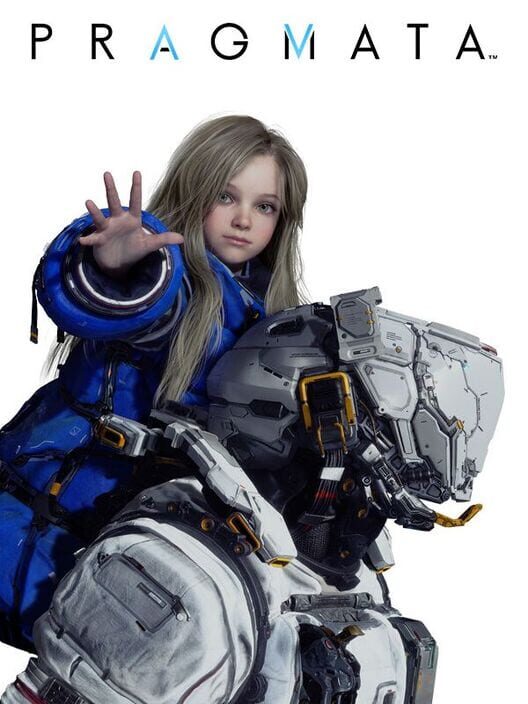
PRAGMATA PS5

Categories: Adventure, Shooter  |  PS5  |  0 comments
PRAGMATA PS5
Title PRAGMATA PS5
Themes Action, Science fiction
Developer Capcom
Publisher Capcom
Release Date 17 April 2026
Languages Arabic, Chinese (Simplified), Chinese (Traditional), English, French, German, Italian, Japanese, Korean, Polish, Portuguese (Brazil), Russian, Spanish (Mexico), Spanish (Spain)
Game Modes Single player
Player Perspective Third person
Score ★ 8.8

Pragmata is a science fiction action-adventure game set in a near-future environment. The story follows Hugh and his android companion Diana as they navigate a lunar research station. Gameplay incorporates action elements alongside mechanics involving interaction with systems within the environment.

Download PRAGMATA PS5 gratis di GHOGAMES. Nikmati game terbaik dengan link download yang cepat dan aman.
INFO
  • Links are interchangeable
  • Please whitelist or disable your VPN / proxy / ad blocker to avoid 404 errors
  • For any other questions, please refer to the FAQ page
  • All files are sourced from various providers; we do not host them
  • We only help direct you to links so you can download them more easily
  • We strongly recommend purchasing a game license from the official developer
DOWNLOAD PRAGMATA SUPERXX PPSA02530 – USA THANK @DUPLEX & VANBUUREN

GUIDE INSTALL PS2

–CLICK HERE–

GUIDE INSTALL PS3

–CLICK HERE–

GUIDE INSTALL PS4

–CLICK HERE–

GUIDE INSTALL PS5

–CLICK HERE–

GUIDE INSTALL XBOX360 RGH/JTAG

–CLICK HERE–

GUIDE INSTALL PC

HOW TO INSTALL :

  1. Extract file
  2. Burn or mount the .iso
  3. Jalankan setup.exe dan install
  4. Enjoy & Play

Supported Languages: English, French, Italian, German, Spanish, Spanish (Mexico), Polish, Russian, Portuguese-Brazil, Arabic, Japanese, Korean, Chinese Simplified, Chinese Traditional

HOW TO INSTALL HYPERVISOR GAME :

  1. Extract file
  2. Burn or mount the .iso
  3. Install game
  4. Baca _Info.txt dan DenuvOwO.nfo terlebih dahulu — CPU virtualization harus diaktifkan di BIOS (beberapa motherboard sudah aktif secara default)
  5. Jalankan b1BinariesWin64VBS.cmd dari folder game, tekan 1, restart komputer, lalu saat boot berikutnya tekan F7 ketika jendela baru muncul (driver signature OFF)
  6. Jalankan game dari desktop icon

Setelah berhasil dijalankan, game lain yang menggunakan Hypervisor bisa langsung dimainkan dari desktop icon — selama tidak restart/shutdown PC. Jika PC direstart, ulangi langkah VBS.cmd → 1 → reboot → F7 → desktop icon.

Comment

Leave a Reply

Your email address will not be published. Required fields are marked *